
Rotate
The Rotate  tool is used to rotate selected
drawing entities around a specified center point by a specified angle.
Using the mouse
First select the drawing entities to rotate by using the Pick tool.
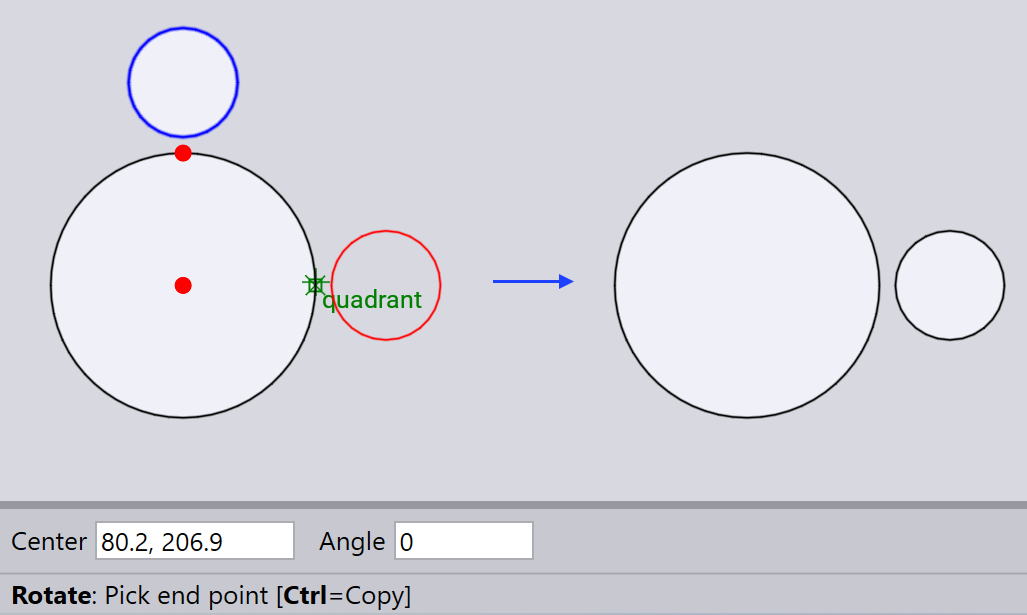
Select the Rotate tool, pick a center point of rotation and then pick the start point and end point to define the rotation angle.
Using the keyboard
After selecting the drawing entities you want to rotate, select the Rotate tool.
Type in the center point coordinates and Angle using the keyboard, and press Enter.
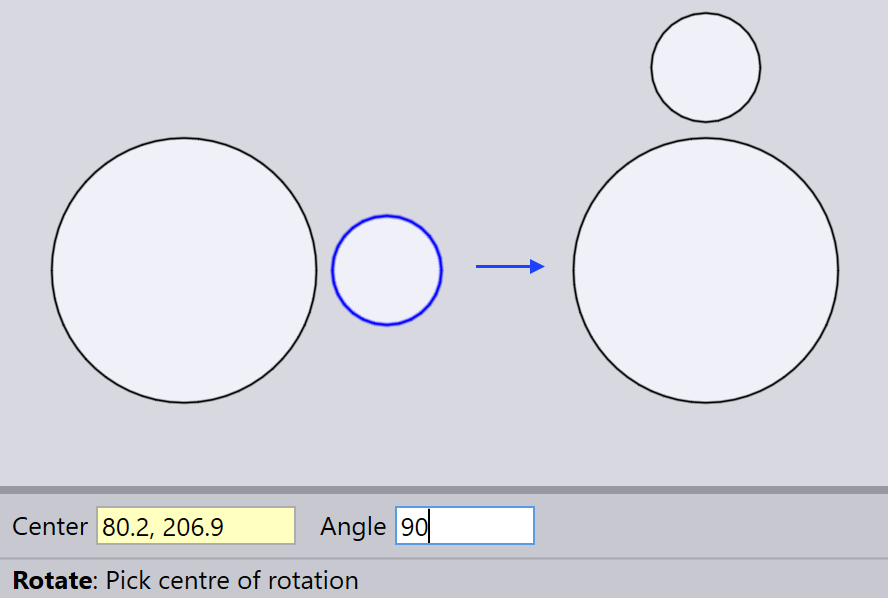
| Positive angles rotate the entities counter-clockwise, while negative angles rotate them clockwise. The Angle input box defines the angle relative to the center point of rotation, based on the entity’s initial position. |