
2-Point circle
The 2-Point Circle  tool is used to draw circles
by specifying the start point, end point and the radius.
Using the mouse
The first click of the mouse left button sets the start point of the circle.
The second click sets the end point of the circle (this effectively sets the center of the circle with the radius mentioned).
If the user defined radius is less than half the distance between start point and end point, the radius is set to half of this distance.
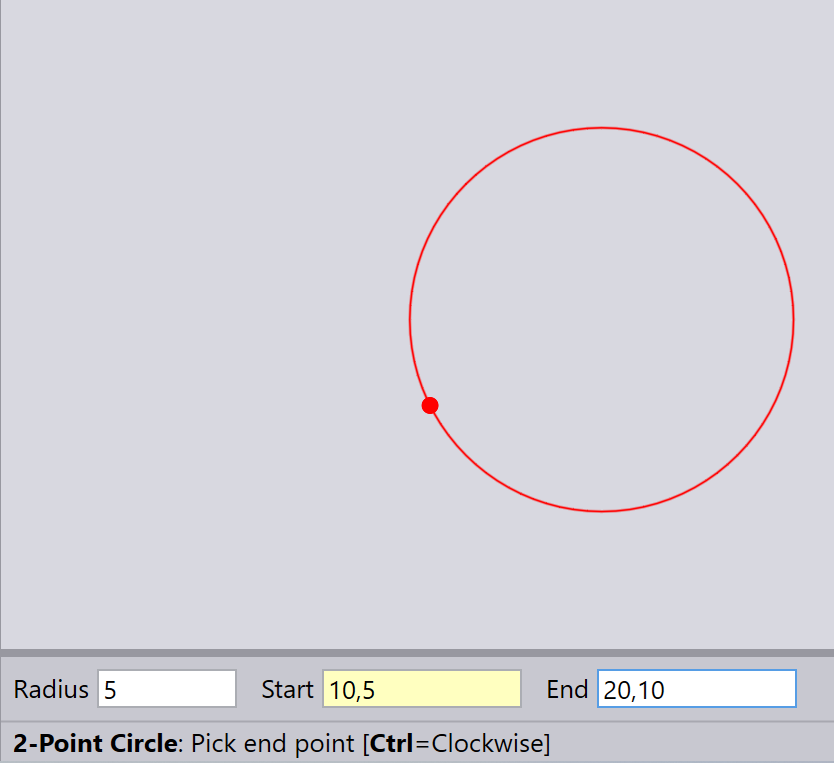
If you hold down the Ctrl key while clicking on the end point (as the prompt explains in the image below), the arc is drawn clockwise from the start point to the end point. Otherwise, it goes counter-clockwise.
Using the keyboard
Type in the Radius, Start, and End and press Enter to draw the circle.
Hold down the Ctrl key and press Enter to draw the circle clockwise.