
Tangent-Point arc
The Tangent-Point Arc  tool is used to
draw arcs by specifying the start-point, the end-point and the starting
direction. The arc can be drawn clockwise or counter-clockwise by specifying
the tangent and endpoint appropriately.
Using the mouse
The first click of the left mouse button sets the start-point of the arc.
The second click sets the starting-direction, i.e the starting angle of the arc.
The third click sets the end-point of the arc.
Using the keyboard
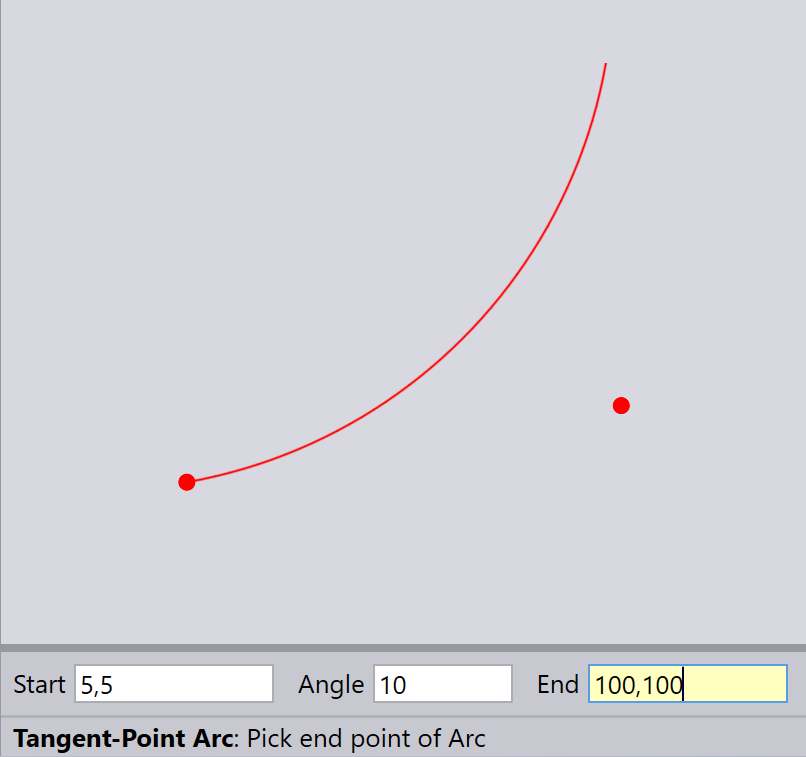
Type in the Start, Angle, End and then press Enter to draw an arc.
Direction of the arc:
If you specify an end point that is right side of the tangent (the line
running from start point along the angle), the arc goes clockwise.
If you specify an end point that is left side of the tangent, the arc goes
counter-clockwise.