
Key slot
The Key Slot  tool is used to create a
rectangular slot on entities such as a circle or an arc.
Creating a key slot
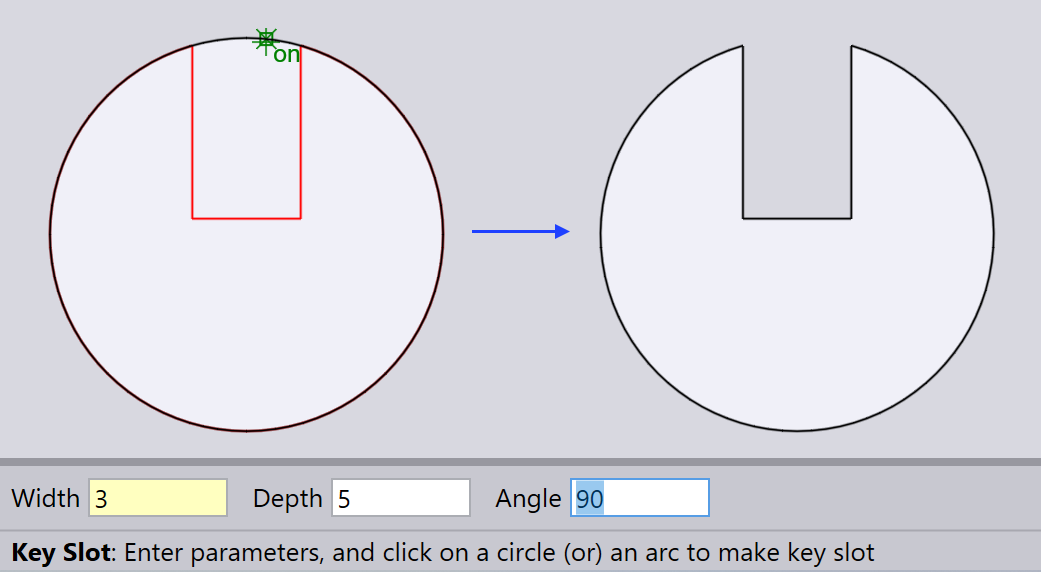
Type in Width, Depth and Angle to create a key slot.
Hover the mouse cursor over the entity (circle or arc) where you want to create the key slot and click the left mouse button.
Width is the total width of the slot, Depth is how deep the slot goes into the entity, and Angle is the rotation angle of the slot in relation to the center point of the entity.
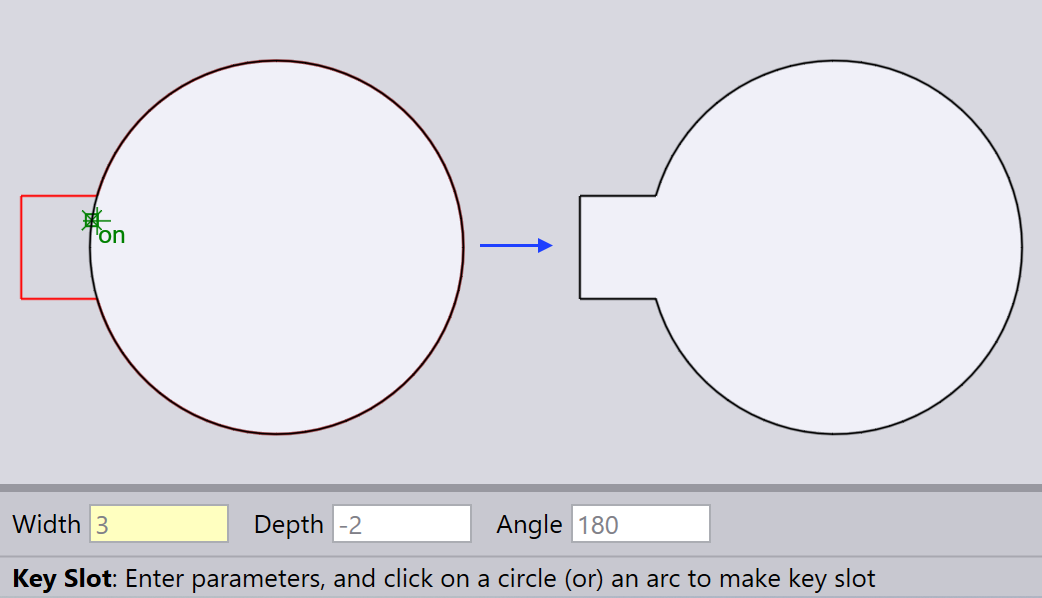
| If you enter a negative value for Depth, the slot will be created outward from the entity. |