
Circumscribed polygon
The Circumscribed Polygon  tool is
used to draw regular polygons when the radius of the circumscribed circle is
known (that is, the distance from the center of the polygon to the midpoint of
an edge). With this tool, the Angle input box sets the angle between the center,
and the midpoint of the first edge.
Using the mouse
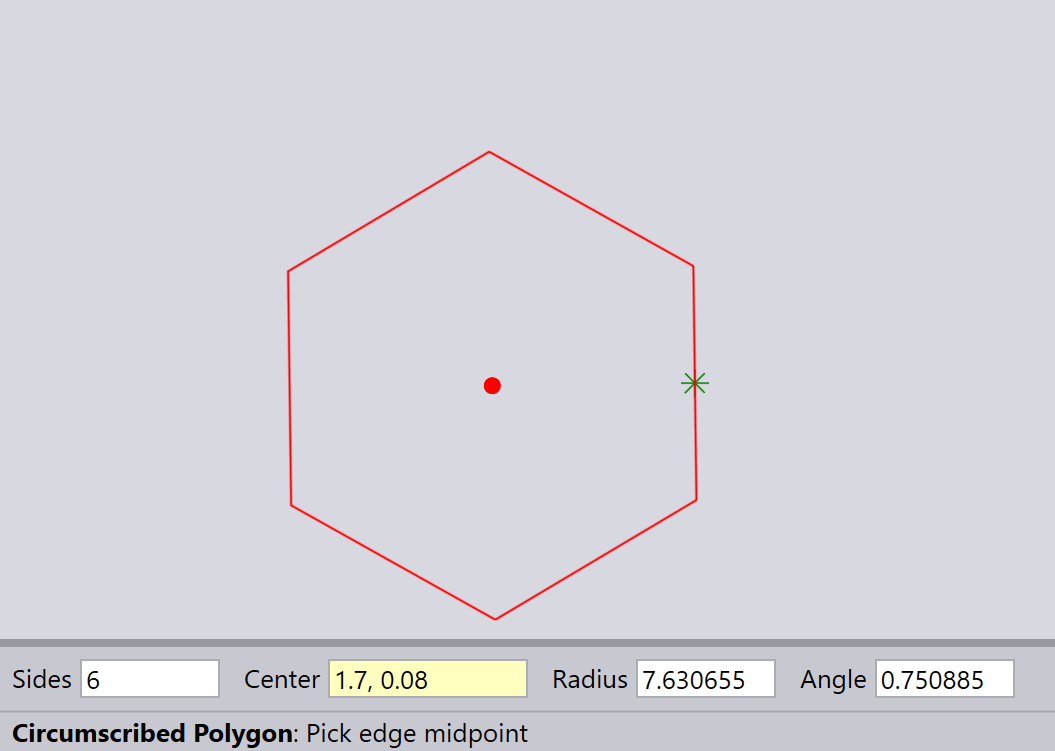
| By default, the number of sides is set to 6 (hexagon). You can change this value in the input bar before drawing the polygon. |
The first click of the left mouse button sets the center of the polygon.
The second click sets an Edge midpoint on the polygon.
Using the keyboard
Enter the Number of sides, Center point, Radius, and Angle into the input boxes, then press Enter to draw the circumscribed polygon.
For example, here is an equilateral triangle, drawn with an Angle setting of 45º. You can see that the midpoint of the first edge is at an inclination of 45º from the center point.
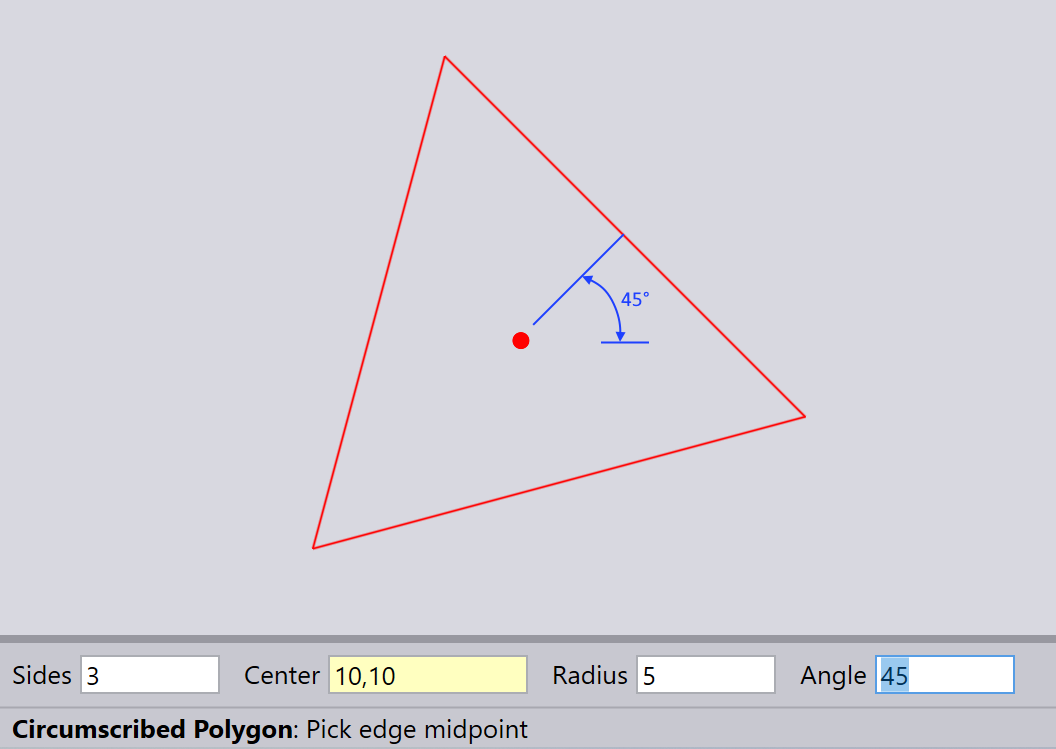
| The angle specifies the angle of midpoint of Edge relative to the center point. |