
Chamfer
The Chamfer  tool is used to create a
chamfered corner on a polyline. A chamfer is a straight-line cut that replaces
a corner with a beveled edge.
Creating a chamfer
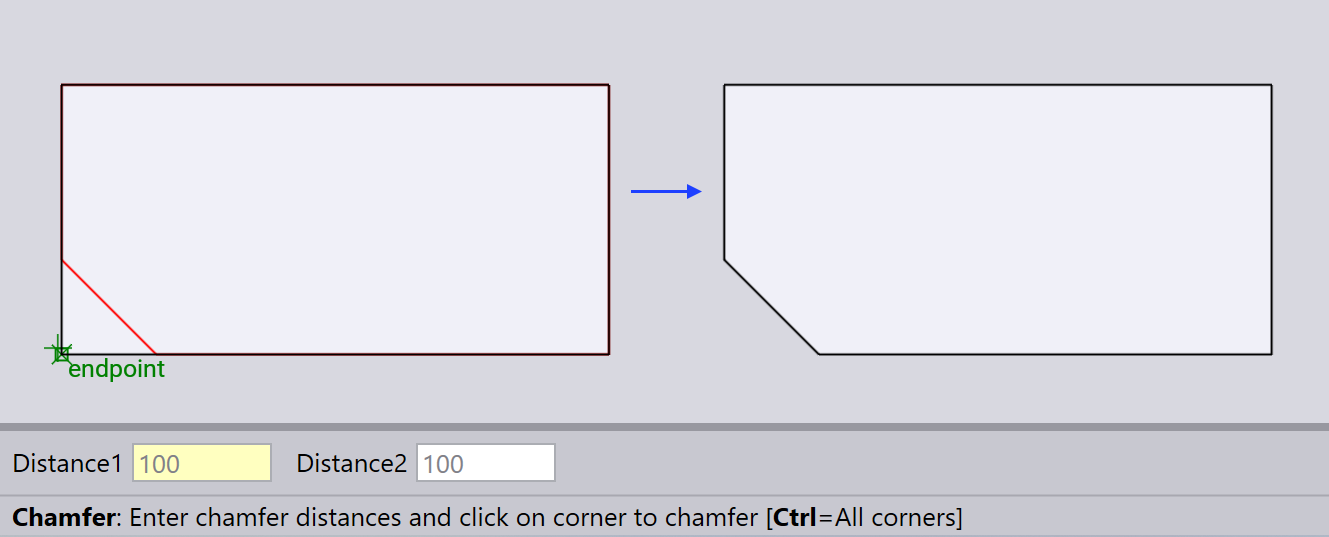
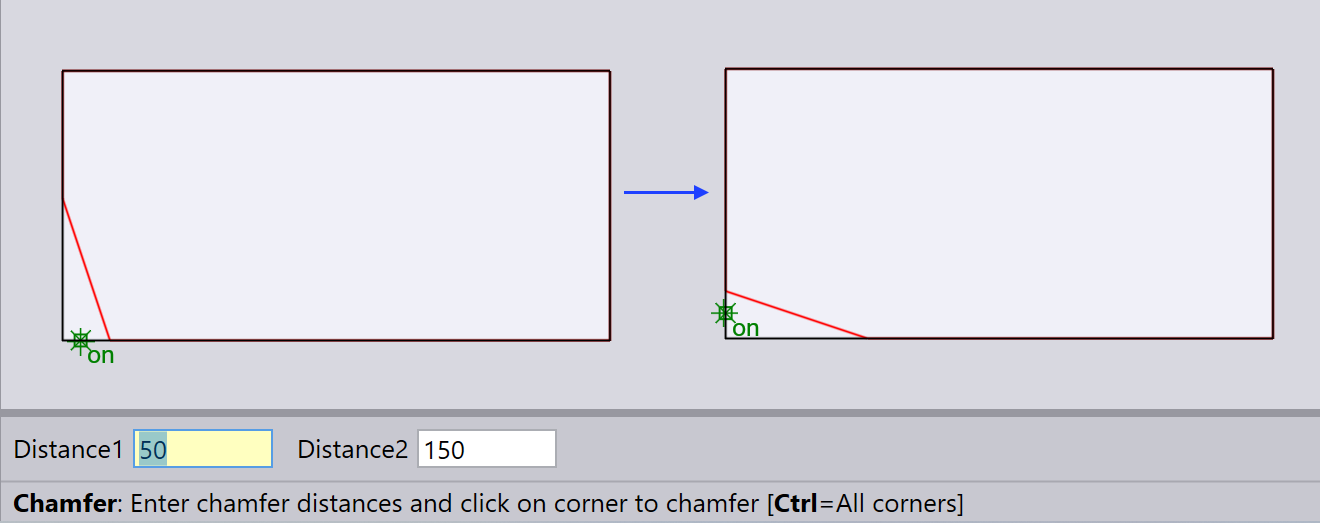
Type in the chamfer distances Distance1 and Distance2 and click near a corner to create a chamfer.
| If both distances are equal, then the chamfer will be symmetric. If the distances are unequal, then the first distance will be applied to the segment that the mouse is closer to. |
Negative chamfer distance
You can create an outward-ear shape by entering a negative value for one of the chamfer distances:
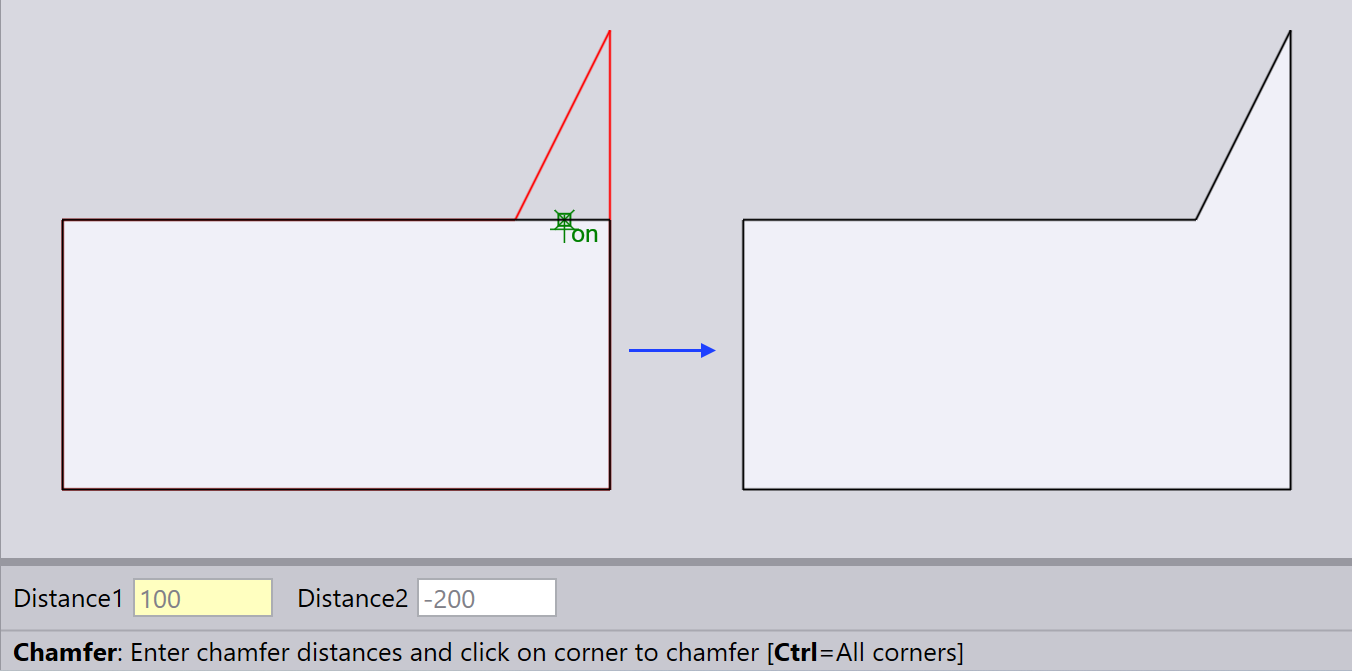
| Providing two negative chamfer distances can lead to self-intersecting shapes which is not recommended. |
Creating chamfers on all corners
You can apply a chamfer to all corners by holding down the Ctrl key when clicking on a corner.
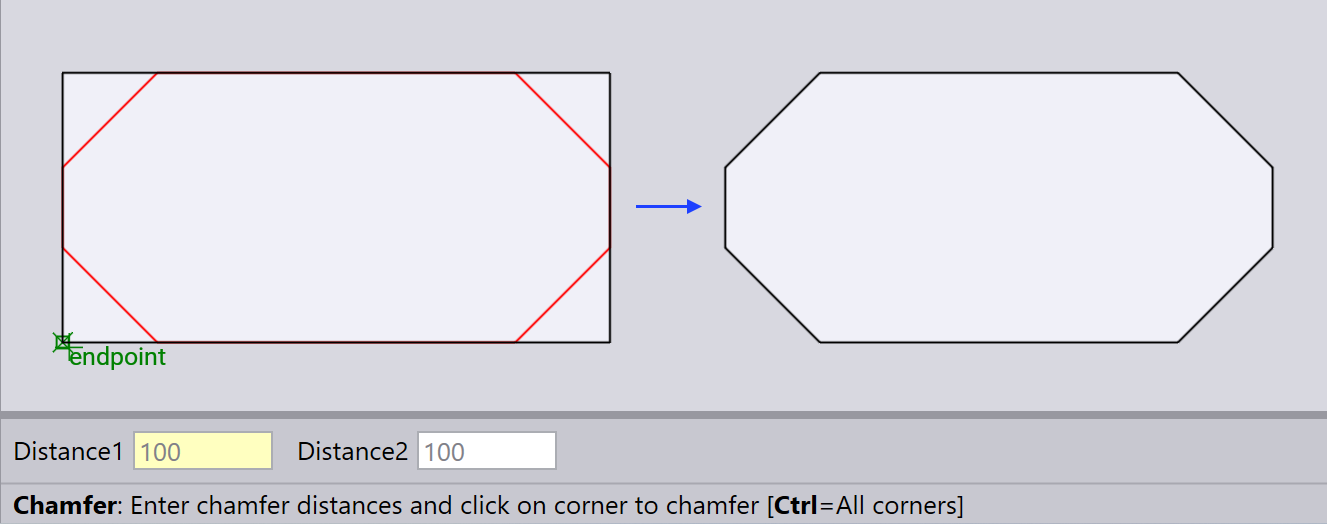
Observe how the chamfer is mirrored when applied to the corners. The mirroring is determined by assessing which of the two segments forming the corner is closer to horizontal and which is closer to vertical. This option may be less reliable for intricate shapes.
| The chamfer is created only if both the segments meeting at the corner are straight line segments, and of sufficient length. |